Power Meter Training for Beginners: Getting Started
- FTP (Functional Threshold Power) is your baseline for all training zones
- The 20-minute test is the best FTP method for beginners
- Zone 2 endurance rides (60-75% FTP) build the aerobic foundation
- Consistency (3-4 rides/week) matters more than intensity for beginners
- Track progress with apps like Strava or TrainerRoad
A power meter measures your actual effort in watts, giving you objective data to train smarter, not harder. For beginners, this means understanding exactly how hard you’re working and ensuring you’re training at the right intensity for your goals in road cycling. Instead of guessing whether you’re pushing hard enough, a power meter shows you precisely how many watts you’re producing, allowing you to structure your training around specific power zones that target different fitness adaptations.
How to Test Your FTP as a Beginner
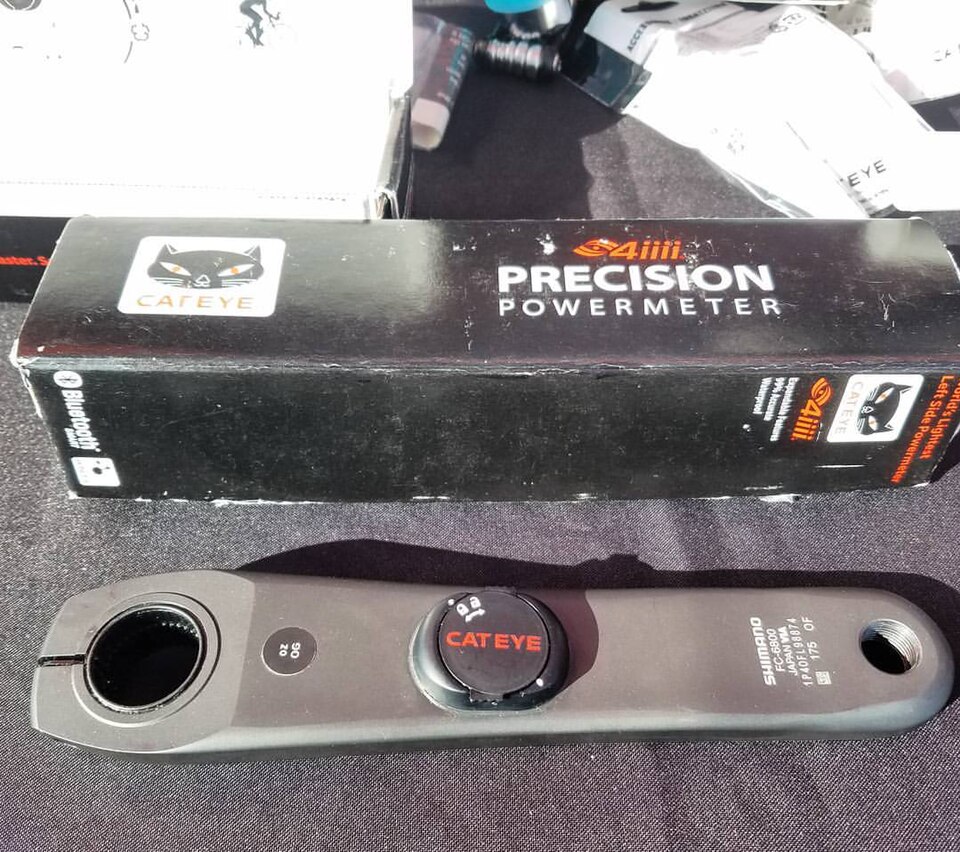
The 20-Minute FTP Test: Step-by-Step for Beginners
- Warm-up: 10-15 minutes including a few short, hard efforts to prepare your body. Start with easy spinning for 5 minutes, then do 3-4 x 30-second efforts at 85-90% effort with 1-minute easy recovery between each
- Test: Ride at your maximum sustainable effort for 20 minutes – you should be breathing hard but able to maintain the pace. Find a flat, quiet road or use a trainer where you won’t be interrupted
- Calculation: Multiply your average power during the 20 minutes by 0.95 to estimate your FTP. For example, if you average 250 watts during the test, your FTP is approximately 238 watts (250 × 0.95)
- Environment: Perform indoors with a fan for consistent conditions, or on a flat, quiet outdoor road. Indoor testing eliminates variables like wind and traffic, making it ideal for beginners
- Preparation: Ensure your power meter is calibrated before starting to get accurate readings. Check battery levels and perform a zero-offset calibration according to your power meter’s instructions
The 20-minute test is recommended for beginners because it provides a more accurate FTP estimate than other methods. Your FTP represents the highest average power you can sustain for about one hour, making it the foundation for all your training zones. This test might feel intimidating at first, but remember that your first FTP number is just a starting point – you’ll see improvements within weeks of consistent training.
Ramp Test vs 20-Minute Test: Which is Better for Beginners?
The ramp test is ideal for beginners as it minimizes pacing errors. This test involves pedaling at a steady cadence while resistance gradually increases minute-by-minute until you can’t continue. The main advantage is you don’t have to worry about starting too hard or too easy – the test does the work for you. Most training apps like TrainerRoad and Zwift offer built-in ramp tests that automatically calculate your FTP at the end.
The 20-minute test, while requiring more pacing skill, gives you a more accurate FTP estimate. During the test, you need to find that sweet spot where you’re working hard enough to get a good number but not so hard that you blow up in the first 5 minutes. Choose the ramp test if you’re nervous about pacing, or the 20-minute test if you want the most precise baseline for your training. Test your FTP every 6-12 weeks to update your zones as your fitness improves – you’ll be surprised how quickly your numbers can change with consistent training.
Understanding Power Training Zones for Beginners
Power Zones Explained: What Each Zone Does
- Zone 1: Active Recovery (<55% FTP) – Very light effort for recovery rides and between intervals. These rides feel almost too easy but are crucial for recovery and building endurance base. Perfect for active recovery days or between hard interval sets
- Zone 2: Endurance (55-75% FTP) – Builds aerobic base, improves fat burning, focus on longer rides. This is where you’ll spend most of your training time as a beginner. These rides develop your cardiovascular system and teach your body to use fat as fuel efficiently
- Zone 3: Tempo (76-90% FTP) – Develops sustained power and muscular endurance. This zone feels comfortably hard – you can talk, but only in short sentences. Great for building climbing strength and sustained efforts
- Zone 4: Threshold (91-105% FTP) – Improves ability to sustain hard efforts. This is your FTP pace – hard but sustainable for 20-60 minutes. Training here increases your lactate threshold and improves your ability to handle intense efforts
- Zone 5: VO2 Max (106-120% FTP) – Enhances maximal oxygen uptake. These are hard, breathless efforts lasting 3-8 minutes. Training in this zone improves your body’s ability to process oxygen and delays fatigue
- Zone 6: Anaerobic (>120% FTP) – Improves short, explosive power. These are all-out efforts lasting less than 3 minutes. While important for racing, beginners should focus on Zones 1-4 first
Each zone serves a specific purpose in your training. Zone 2 endurance rides are particularly crucial for beginners as they build the aerobic foundation you need for all other training. The zones are based on percentages of your FTP, so as your fitness improves, the same zone will feel easier. For example, what felt like a hard Zone 3 effort at the beginning of your training might become your Zone 2 pace after a few months of consistent riding.
Setting Up Your Training Zones in Popular Apps
Once you’ve established your FTP, you can input it into training apps to automatically calculate your zones. In Strava, go to Settings > Training > FTP and enter your number. The app will then display your power zones and show you which zone you’re riding in during each activity. Zwift will prompt you to set FTP when you first connect your power meter, and you can adjust it later in your profile settings.
TrainerRoad has a dedicated FTP test feature that helps you establish your baseline and automatically updates your zones when you complete a new test. Garmin apps like Garmin Connect and the Garmin Edge devices also allow you to set custom FTP values and display your zones during rides. After setup, these apps will automatically color-code your rides based on which zone you’re riding in, making it easy to stay in the right intensity range. You’ll also be able to track your progress over time as your power numbers improve, seeing trends in your average power, time in zones, and overall fitness progression.
Zone 2 Endurance Rides: The Foundation of Beginner Training
Why Zone 2 Rides Matter More Than You Think
Zone 2 endurance rides at 60-75% FTP build your aerobic capacity and improve your body’s ability to burn fat for fuel. These rides might feel too easy, but they’re actually the most important training you can do as a beginner. They develop the cardiovascular system and muscular endurance you need for harder efforts later. During Zone 2 rides, your body becomes more efficient at using oxygen and fat as energy sources, which is the foundation for all endurance sports.
The beauty of Zone 2 is that it’s sustainable for long durations – think 1-3 hour rides where you can comfortably hold a conversation. This zone also provides excellent recovery benefits, making it perfect for days between harder workouts. Many beginners make the mistake of training too hard, not too easy, so embrace the lower intensity. Zone 2 training increases mitochondrial density in your muscles, improves capillary networks for better blood flow, and enhances your body’s ability to clear lactate – all essential adaptations for becoming a stronger cyclist.
Sample Zone 2 Workout: Your First Structured Ride
- Duration: 60-90 minutes at 60-75% FTP. Start with 60 minutes if you’re new to structured training and gradually build up to 90 minutes over several weeks
- Cadence: 85-95 RPM for efficient pedaling. This cadence range helps you maintain smooth, efficient power output while reducing muscle fatigue
- Terrain: Flat to rolling routes that let you maintain steady power. Avoid routes with frequent steep climbs or descents that make it hard to stay in Zone 2
- Monitoring: Keep your 3-second average power display in the Zone 2 range. Use your bike computer or cycling app to watch your power output and make small adjustments to stay in the target zone
- Goal: Complete the full duration without spiking above Zone 3. Focus on consistency rather than speed – the goal is to maintain Zone 2 power throughout the entire ride
This workout is perfect for your first structured ride with a power meter. The key is consistency – aim for 3-4 structured rides per week rather than infrequent long rides. Use apps like Strava or TrainerRoad to analyze your power output trends and track your progress over time. You’ll start to see patterns in your power distribution, average power improvements, and how your body responds to different training loads. For a complete structured approach, see our Beginner Cycling Training Plan: Build Your Fitness Safely.
The surprising truth about power meter training is that beginners often make the mistake of training too hard, not too easy. Schedule your first FTP test this week and commit to 3 Zone 2 rides per week for the next month. You’ll be amazed at how much your aerobic fitness improves with this patient, structured approach. Many cyclists report significant improvements in their endurance and recovery within just 4-6 weeks of consistent Zone 2 training, even though the rides feel relatively easy during the workout.
Remember that power meter training is a tool to guide your efforts, not a strict rule. Listen to your body, especially when you’re starting out. Some days you might feel great and want to push harder, while other days you might need to back off. The beauty of using power data is that it helps you make informed decisions about your training intensity. As you gain experience, you’ll learn to balance the objective data from your power meter with your subjective feelings of effort and fatigue.
For more foundational advice on getting started with cycling, check out our Essential Cycling Tips for Beginners Starting Their Journey. This guide covers everything from basic bike handling to nutrition and recovery strategies that complement your power-based training program.